Skip to content
synthchord
Live on Google Play · iOS planned to follow

Play chords.
Sketch songs.

A chord pad for songwriters and producers. Pick a key. Tap a pad. Bend the chord with the joystick. Record a loop and export a MIDI file you can drop straight into your DAW.

Get it on Google Play

On Android today — free to play.

On iPhone? Join the iOS launch list — one email when it ships.

See how it works ↓
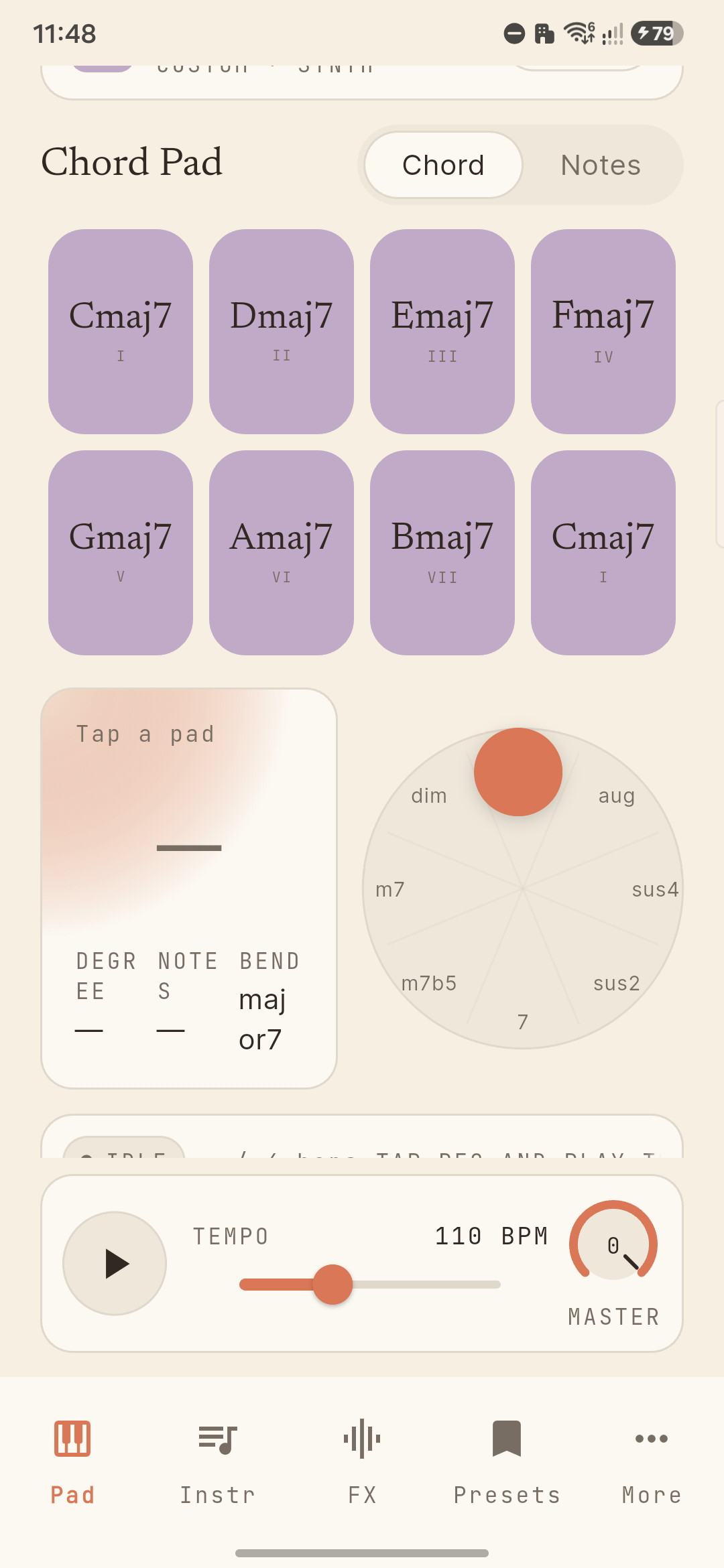
SynthChord Pad screen showing eight chord pads in F# Minor with the joystick wheel below
What it does

One instrument. Every move.

Eight chords, one joystick.

Pick a key and a scale. Eight pads light up — the seven diatonic chords plus the octave repeat of the I. Drag the joystick toward maj7, sus4, m7♭5, dim. Eight variations on the wheel, no theory degree required. Magnitude controls velocity: soft taps stay soft, deep drags get loud.

Single notes when a melody hits.

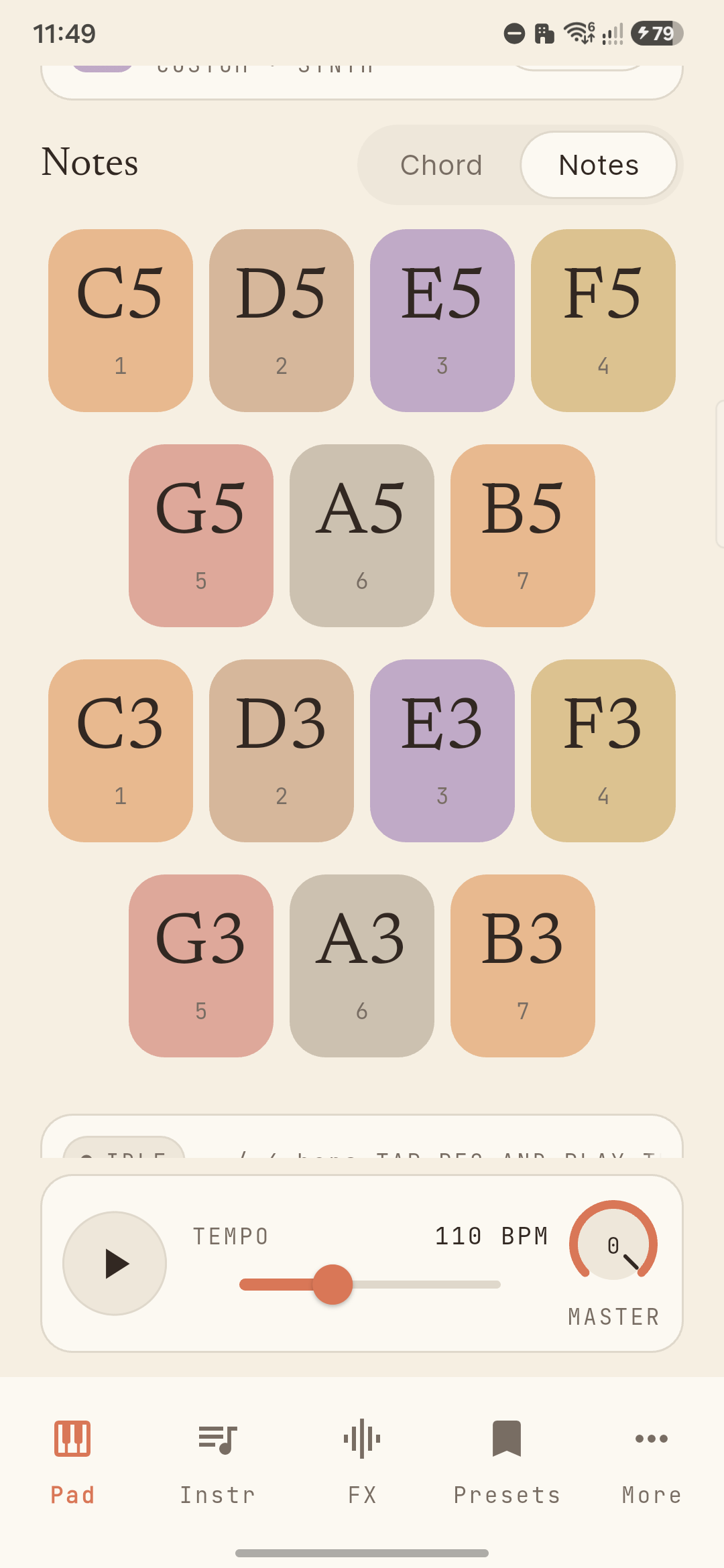
Flip to Notes mode and the seven chord pads become fourteen scale pads — two octaves of the current key, laid out so the melody on your head finds its way out without you hunting for it. Same key picker, same joystick, different voice.

SynthChord Notes mode showing fourteen single-note scale pads in two octaves

Loop your idea before you forget it.

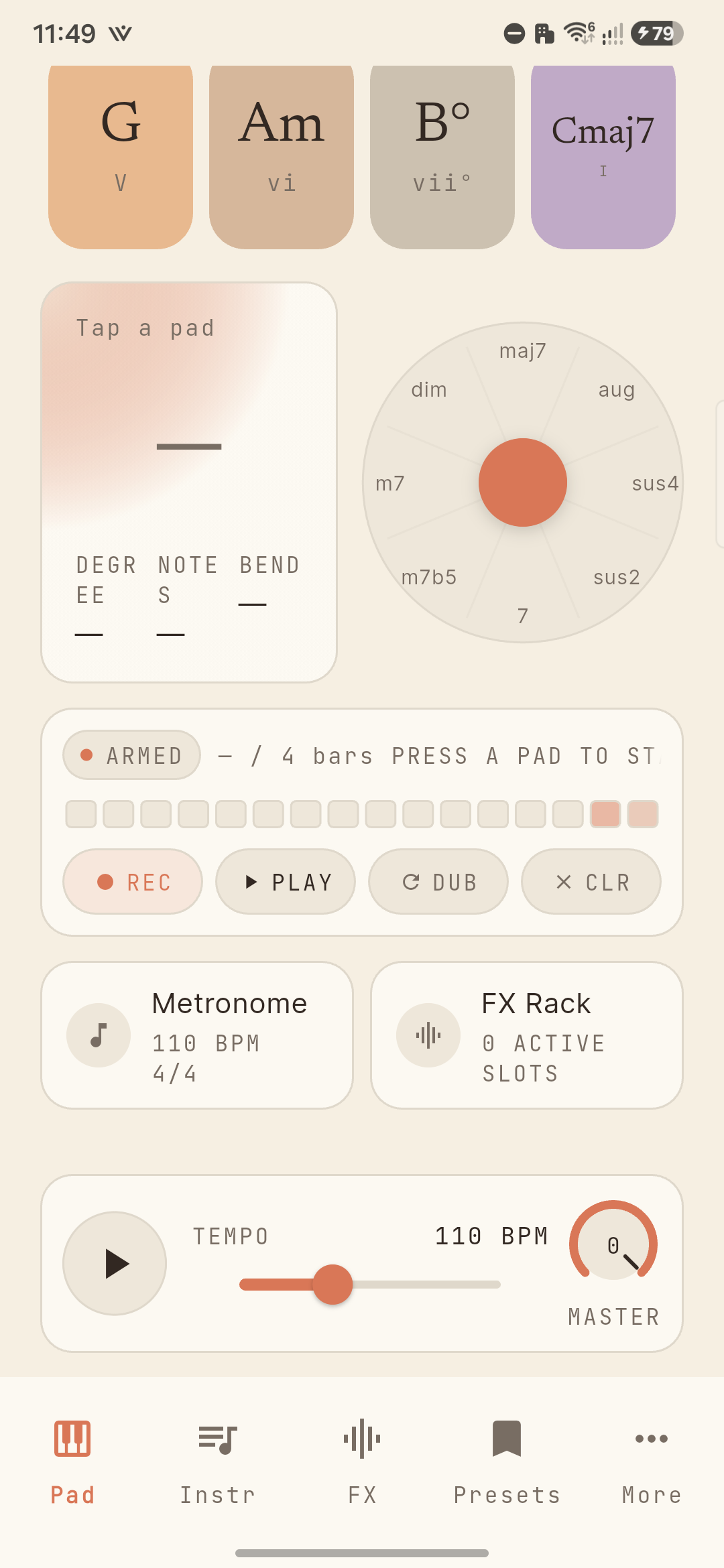
Hit REC and play. The looper captures the chord pad presses in time, lays them under a BPM-locked playhead, and lets you overdub another layer on top. Two taps, one loop. No DAW gymnastics.

SynthChord looper screen with REC armed and a bar count

Color the sound. In the same screen.

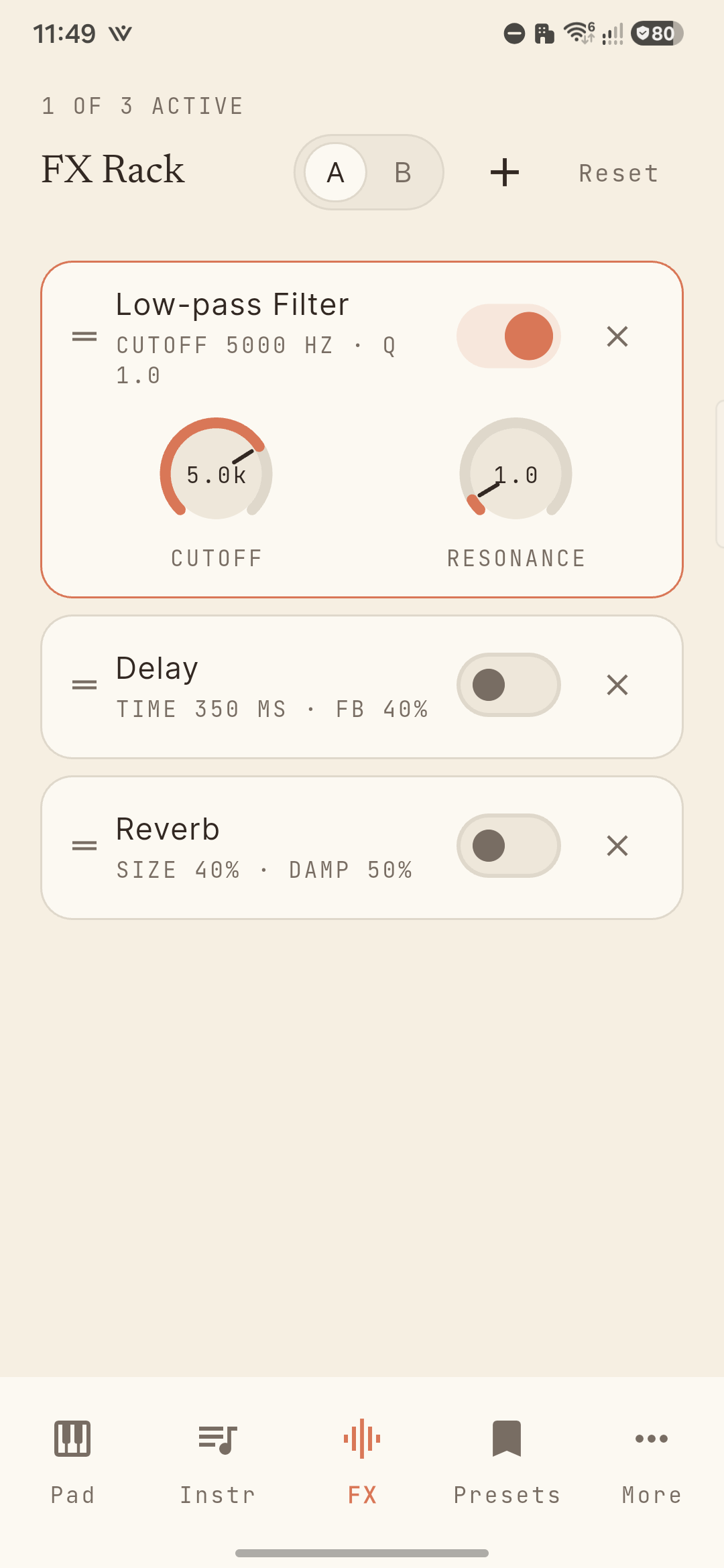
Three effects: low-pass filter, delay, reverb. Drag to reorder, toggle each one live, A/B two chains side by side. The whole rack sits one tap away from the pads, so the tweak happens while the idea is still warm.

SynthChord FX rack with low-pass filter active and delay, reverb stacked below

Export the seed. Grow it elsewhere.

Hit the share icon on the looper. Out comes a .mid file. Drop it into Ableton, Logic, FL Studio, Reaper, or anything that opens MIDI. SynthChord is for the sketch. Your DAW is for the song.

And the rest of the kit.

  • 130 sounds across 17 categories — acoustic grand to vintage tape, brass to FM bell.
  • Bring your own SoundFonts and samples.
  • A metronome with ten timbres, from drums to wood block to ride bell.
  • Per-row volume mixing and a low-latency switch.
  • Four languages, light and dark themes.
Pricing

Free to play. One-time unlock for everything else.

No subscription. No trial countdowns. Buy SynthChord Pro once, keep it across reinstalls and devices on the same store account.

Free

Play.

$0
Forever
  • Chord pad + notes mode
  • Joystick chord-bend
  • Now-playing chord readout
  • Internal soft-synth + sampler
  • External MIDI input
  • Metronome
  • Looper playback
SynthChord Pro

Sketch.

$4.99
One-time · No subscription
  • Save and load your presets
  • Export loops as MIDI files
  • Import custom SoundFonts + samples
  • Arpeggiator (4 patterns × 3 rates)
  • A / B FX switcher
  • Chord-progression presets
  • Record + overdub loops
Get it on Google Play

Free to install — unlock Pro once, in-app.

On iPhone? Join the iOS launch list.

Why this exists

For the songwriter who thinks in chords.

Most DAWs treat chords as an afterthought. Type the notes, draw the MIDI rectangles, hope the harmony works. Most chord-pad apps treat them as a toy. Pretty colors, no useful output, can't get the sketch out of the app.

SynthChord sits between those two. The Nashville Number System is built in: every pad shows its roman numeral and its absolute name, so the relationship between key and chord becomes muscle memory. The looper catches the idea before it slips. The export drops it straight into the next room.

No tracking. No ads. No subscription. Your presets, recordings, and imported sounds never leave your device.

Made by an indie developer and musician, for songwriters.
Questions

A few common ones.

Where can I get it?
SynthChord is live on the Google Play Store today. iOS is planned to follow. Join the iOS launch list to hear about the iOS launch and release notes.
Does it work without an internet connection?
Yes. The only network call SynthChord makes is the IAP handshake when you unlock Pro or restore a prior purchase. Playing, recording, and exporting are fully offline.
Do you need my email or any account?
No accounts, no logins. Apple ID / Google account handles the purchase, that's it. Read the full privacy policy.

More questions on the support page →